Single site
$79USD, one-time payment. One shop; 12 months of updates and email support.
Notify me →Fiskal HR Pro / WordPress Coming soon
GPL add-on for the free Fiskal HR plugin, which sends your WooCommerce receipts directly to the Croatian Tax Administration (CIS) with your own FINA certificate. Pro adds several business premises and billing devices, bulk re-sending of receipts still waiting for a JIR, period reports and CSV exports for your accountant, and A4 PDF receipts with the verification QR code.
See editions and prices →Read the setup stepsCroatia's Fiscalization Act (NN 89/2025) has applied since 1 January 2026.
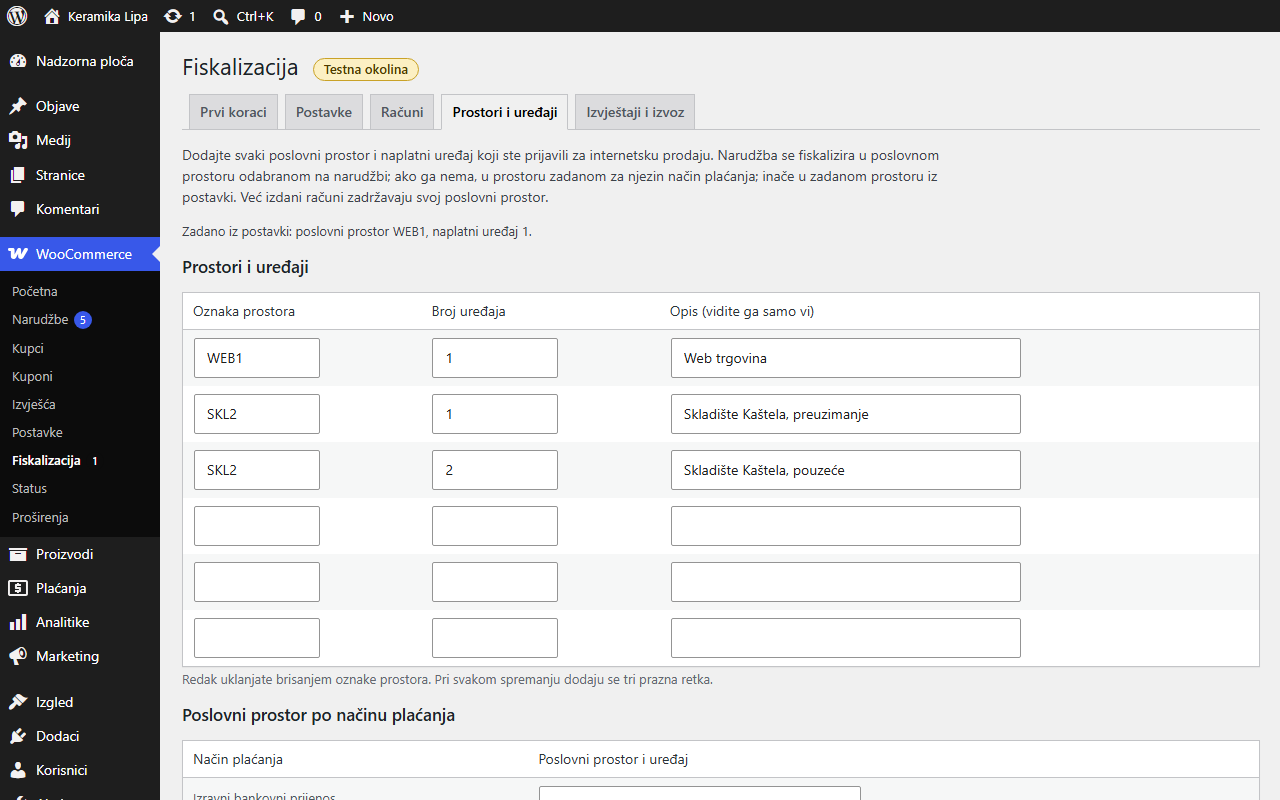
Pro lets one shop fiscalize from several business premises and devices (fictional shop).
Register every premises and billing device you sell from online, pick one per order or per payment method. Numbering stays per premises.
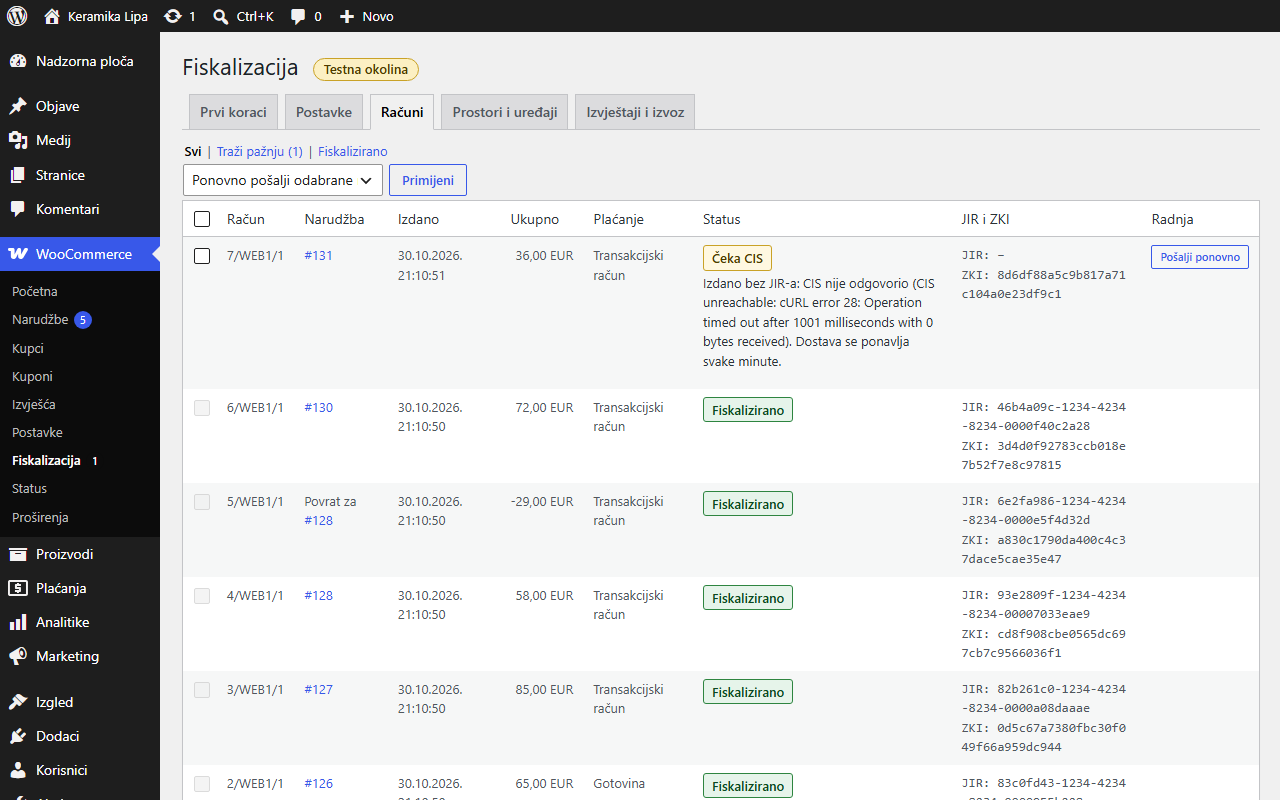
Send selected receipts without a JIR again, or all of them, oldest first. Number, time and ZKI never change.
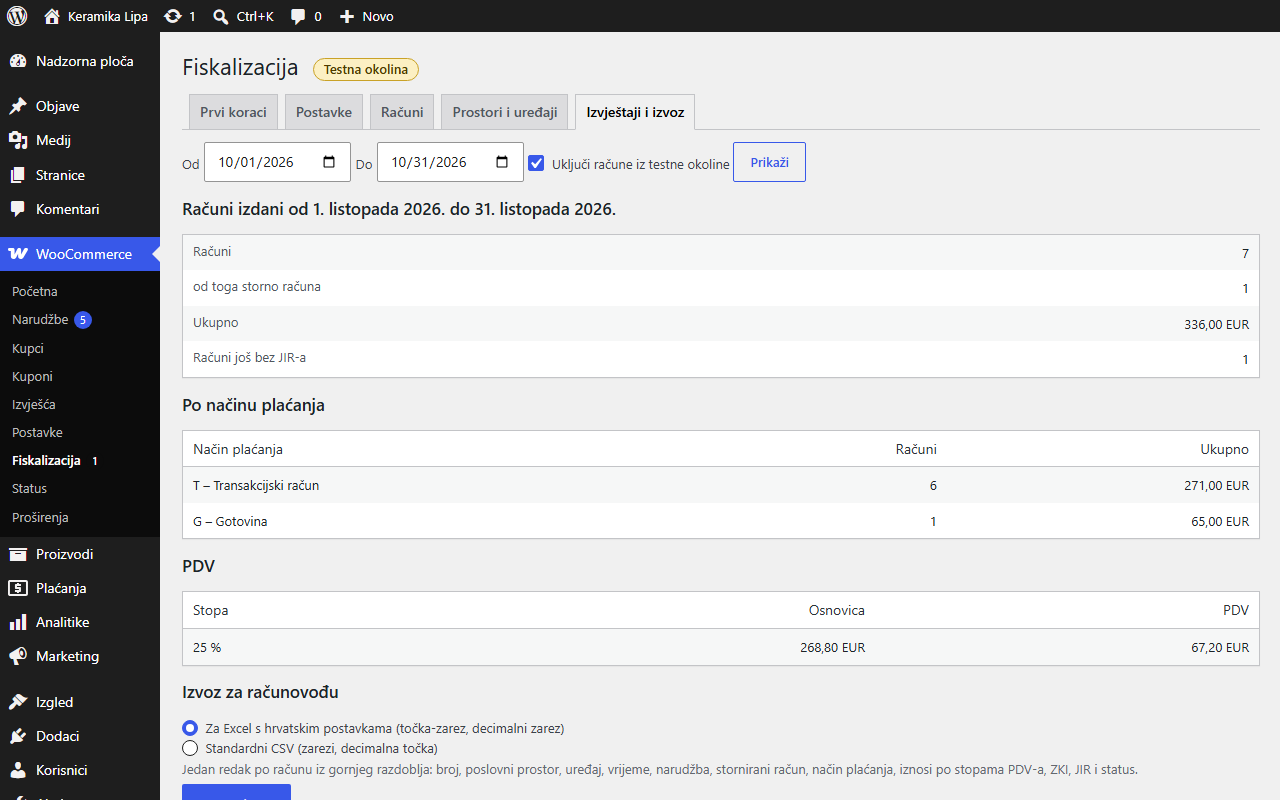
Totals for any period by payment type and VAT rate, storno count, and one CSV line per receipt for Excel.
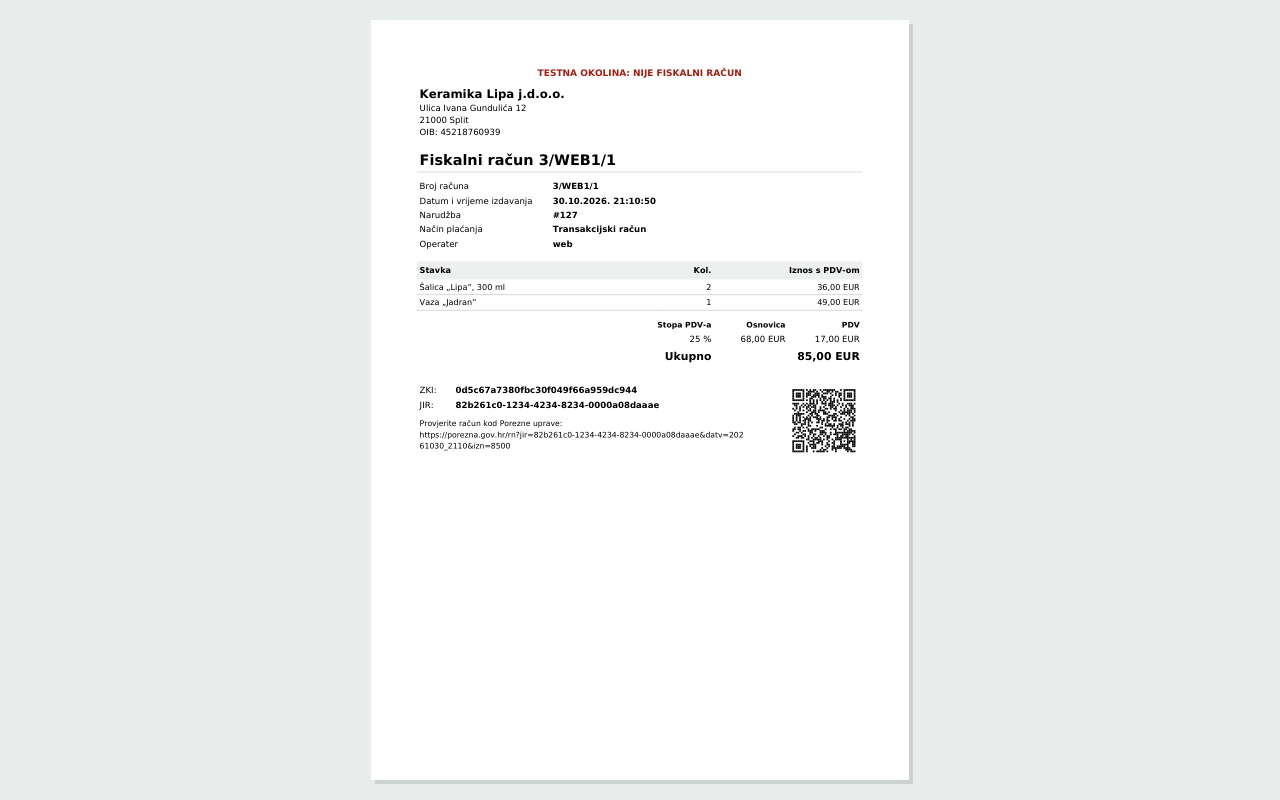
An A4 receipt with items, VAT, ZKI, JIR and a 3 cm QR code, linked from the customer email and My Account.
Scope, without surprises
Adds several business premises and billing devices (chosen per order or per payment method, each with its own numbering), bulk re-sending of receipts without a JIR, period reports by payment type and VAT rate with a CSV export, and PDF receipts to the free plugin's direct CIS fiscalization.
No B2B receipts with the buyer's OIB and no eRačun e-invoicing. No 0 % or exempt VAT lines, margin schemes or other currencies. It does not register your premises with the Tax Administration or obtain your FINA certificate. No tax advice.
WordPress 6.8+ (tested with 7.1), PHP 8.1+ with OpenSSL, DOM and GD, WooCommerce (tested with 11.2) and the free Fiskal HR plugin, active. Your own FINA fiscalization certificate and premises registered in ePorezna. A folder outside the web root for the encrypted certificate.
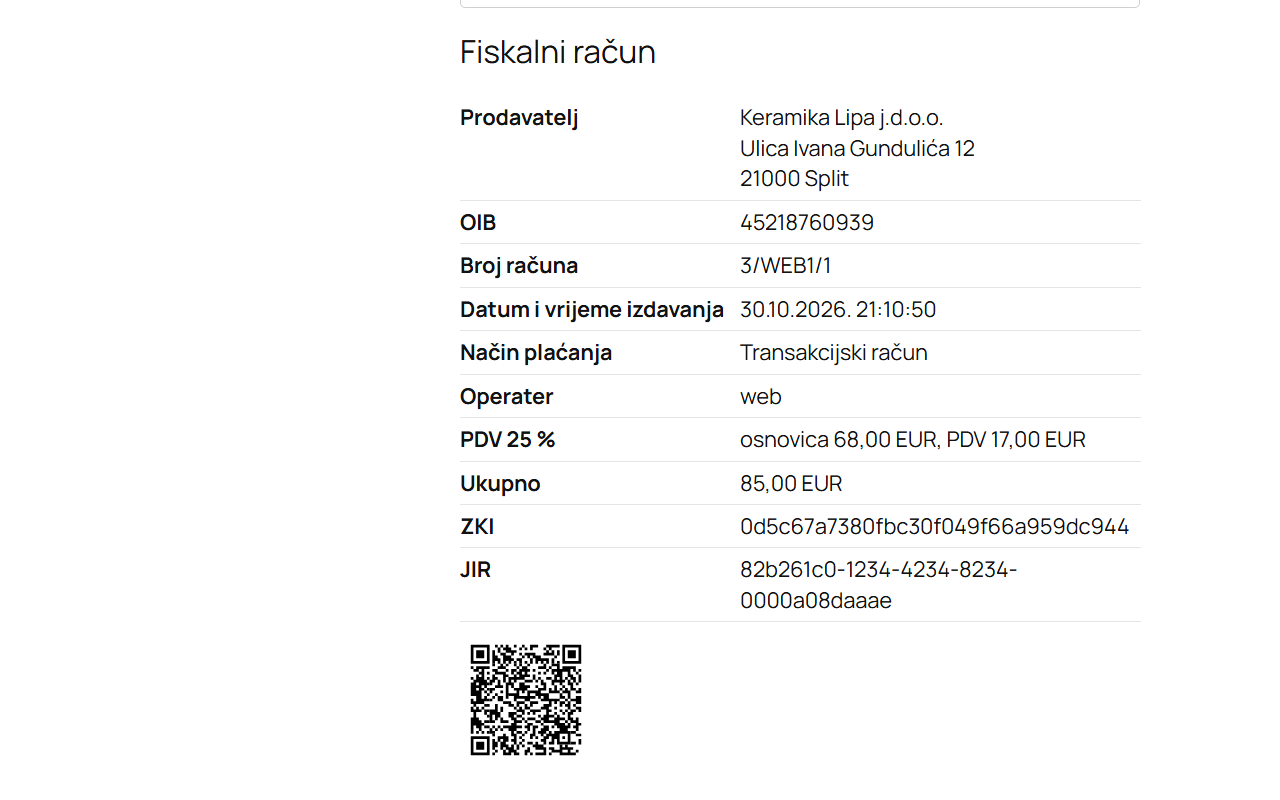
Setup
Tool, not tax advice: your accountant decides what applies to you. Tested end to end against a mock CIS; a run against the real CIS test environment with a FINA demo certificate is still to be done before sale.
One add-on. Every receipt accounted for.
One-time prices in USD. Applicable taxes calculated at checkout.
USD, one-time payment. One shop; 12 months of updates and email support.
Notify me →USD, one-time payment. For agencies and several shops; 12 months of updates and email support.
Notify me →Coming soon: not on sale yet. Use Notify me to email support@sidecarsoft.com and we'll let you know when it's available.
GNU General Public License version 2 or later. Your purchase covers the download, 12 months of updates and email support. No licence key or activation server; the add-on makes no remote requests of its own.