The EU withdrawal button, for shops that don't have one built in.
Since 19 June 2026, consumers who buy online in the EU must be able to withdraw from the contract through a withdrawal function in the shop itself. Here is what the rule asks for, and where our editions stand.
Directive (EU) 2023/2673 added Article 11a to the Consumer Rights Directive (2011/83/EU). For distance contracts concluded through an online interface, the trader must provide a withdrawal function since 19 June 2026. Germany implements it in § 356a BGB.
The function must be labelled “withdraw from contract here” (in German “Vertrag widerrufen”) or an equally unambiguous wording, and be permanently available during the withdrawal period, prominently placed and easy to reach. It lets the consumer give or confirm their name, details identifying the contract or the part of it they withdraw from, and the electronic channel for the acknowledgement. A confirmation function labelled “confirm withdrawal” (“Widerruf bestätigen”) then submits the statement.
The trader must send an acknowledgement of receipt on a durable medium without delay, with the content of the statement and the date and time it was received. A statement sent through the function before the withdrawal period ends counts as sent in time.
This is not the German cancellation button: withdrawal undoes a purchase within the withdrawal period, while § 312k BGB cancels a continuing contract. Many shops need both.
Die Widerrufsfunktion muss gut lesbar mit „Vertrag widerrufen“ oder einer anderen gleichbedeutenden eindeutigen Formulierung beschriftet sein.
The official text: § 356a Abs. 1 Satz 2 BGB Our translation of the German implementation: “The withdrawal function must be clearly legible and labelled ‘Vertrag widerrufen’ or another equivalent, unambiguous wording.”
EU · Art. 11a Consumer Rights Directive
Every platform version
We are building the withdrawal function for shop platforms that need an add-on for it. None of these editions is available yet: use Notify me and we will email you when yours is.
BigCommerce In development
EU Withdrawal Button for BigCommerce
The EU online withdrawal function for BigCommerce stores: a footer link on every storefront page, a plain withdrawal page with “Confirm withdrawal”, the acknowledgement by email and an overview in your control panel.
Withdrawal link in the footer of every storefront page, also on phones
Official labels in English, German, French, Dutch, Spanish, Italian and Polish
Two steps, no login: statement, then “Confirm withdrawal”
Instant acknowledgement by email with content, date and time
Optional read-only check of the order number and email
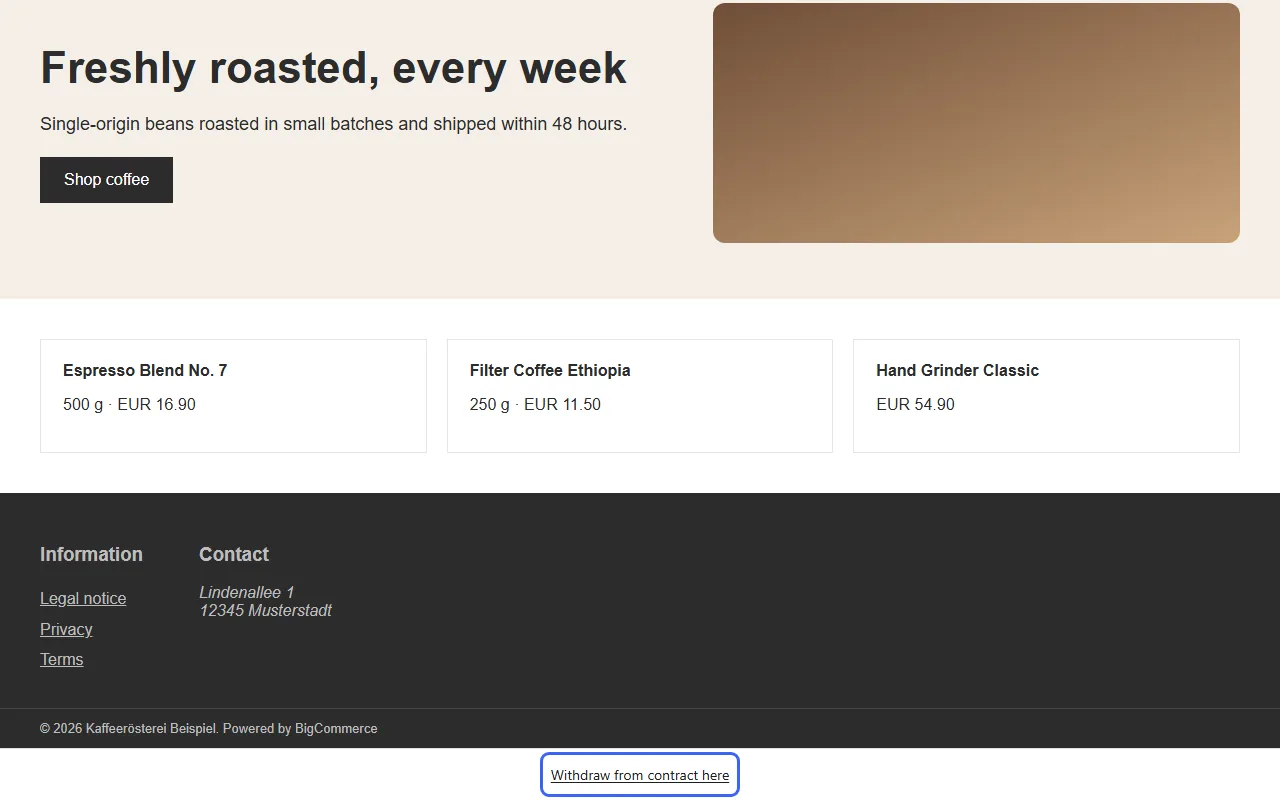
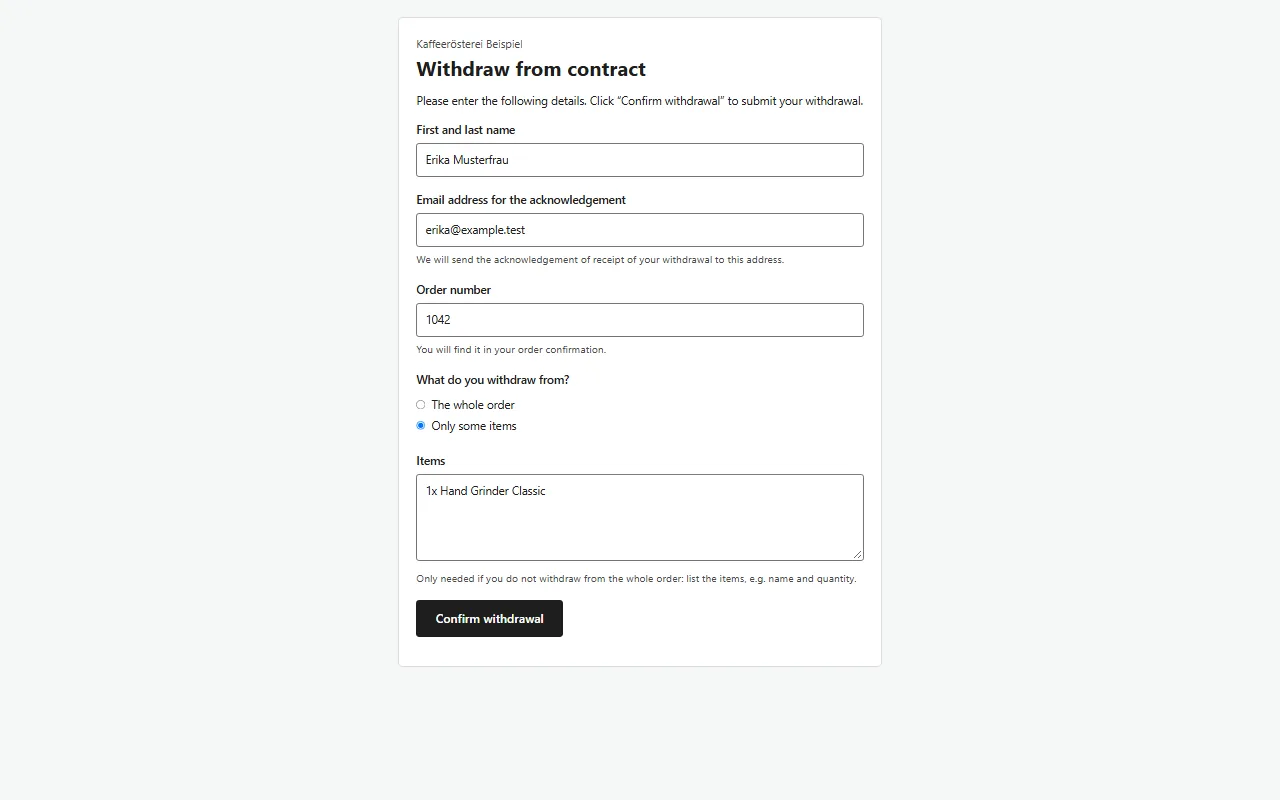
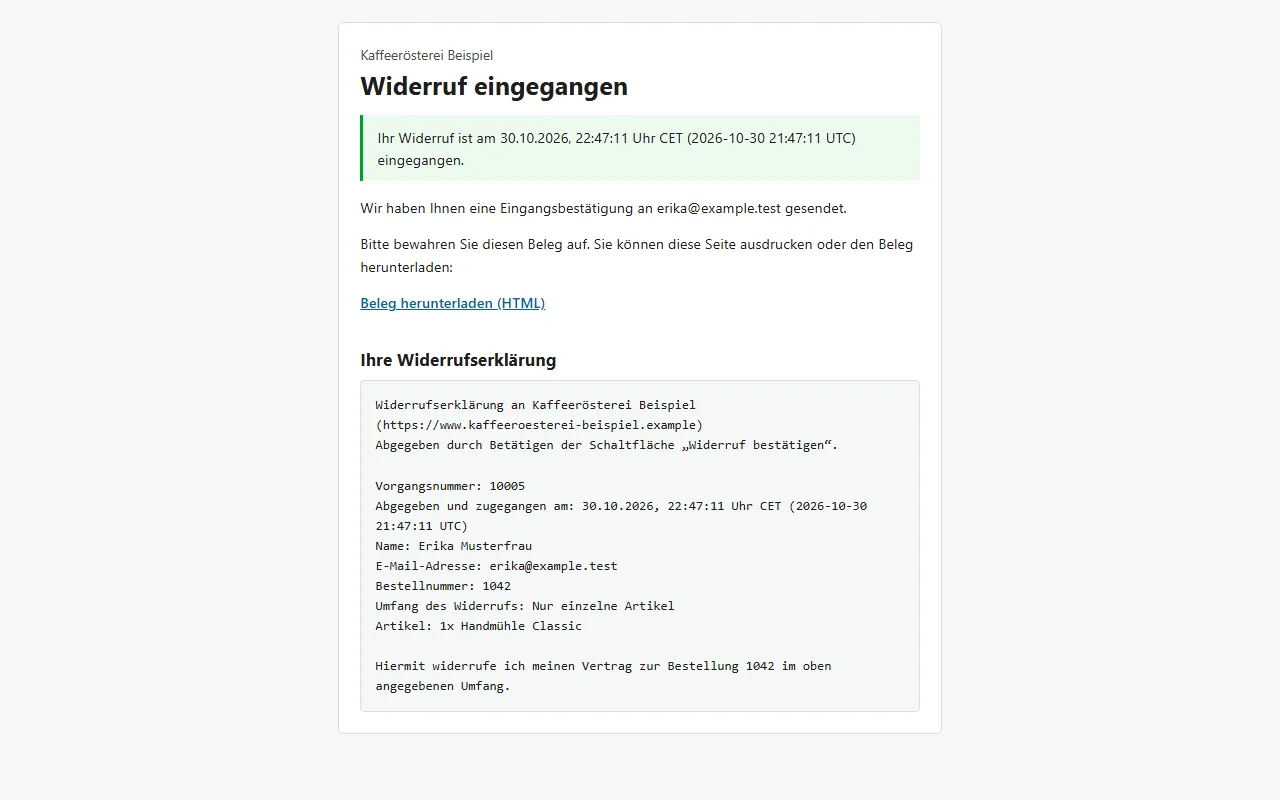
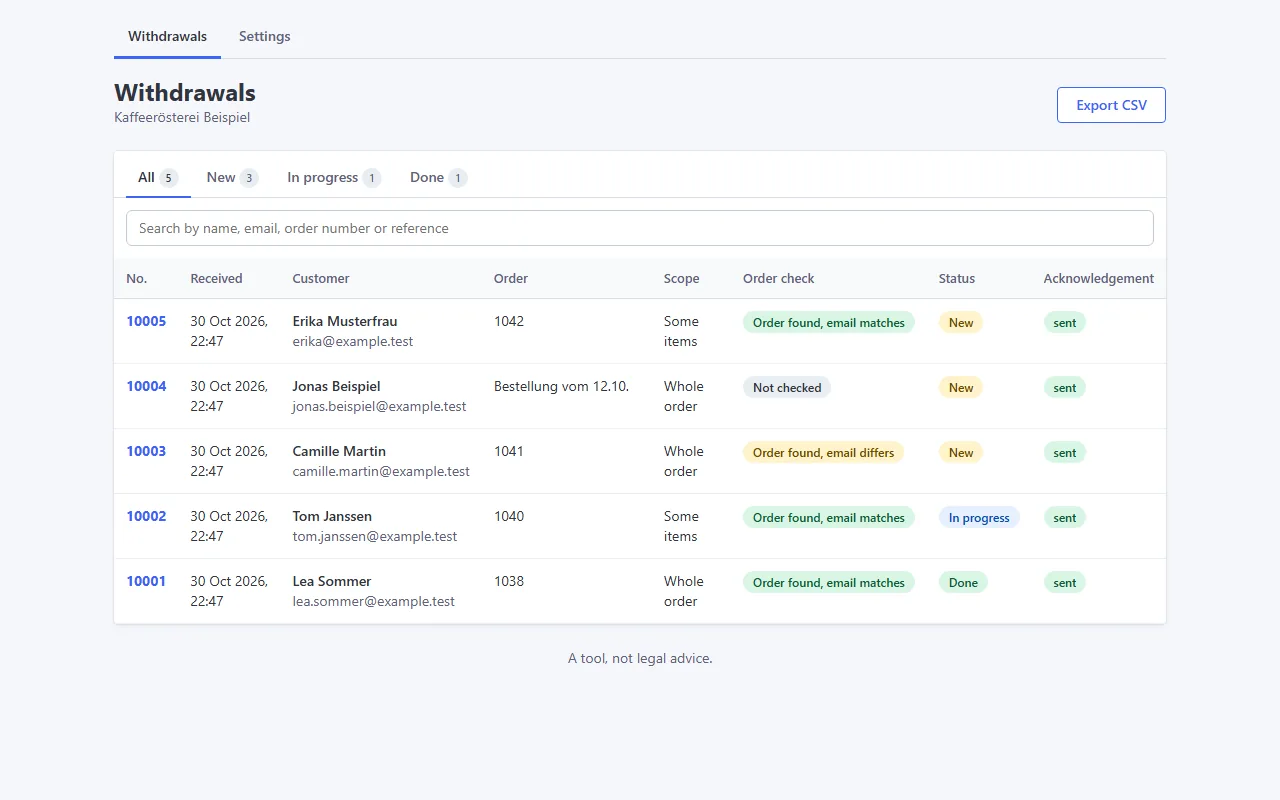
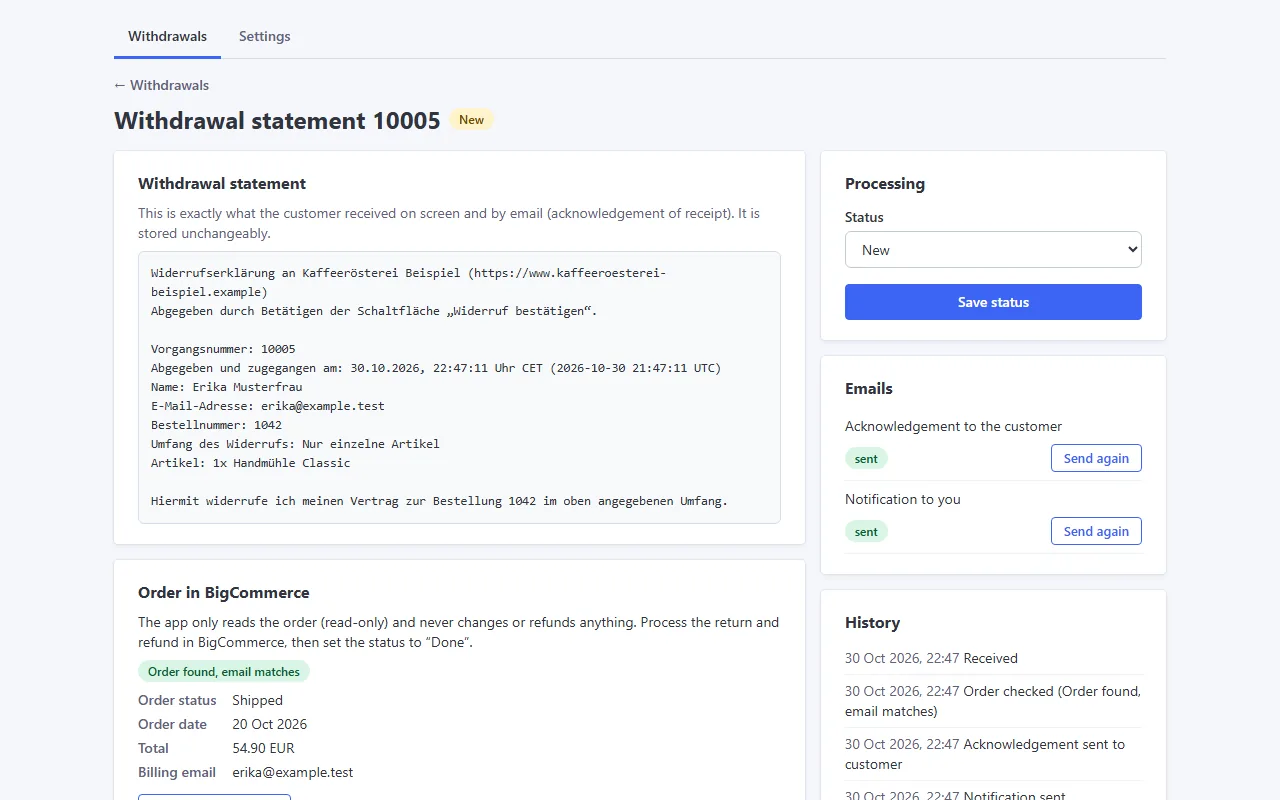
“Withdraw from contract here” in the footer of every storefront pageThe withdrawal page with the statement and “Confirm withdrawal”Instant confirmation with the date and time and the receipt downloadEvery withdrawal with order check and status in your control panelDetail view with the statement, the order in BigCommerce and the email status
All data in the screenshots is fictional.
S
Square Online In development
EU Withdrawal Button for Square Online
In development: the EU withdrawal function (Art. 11a CRD) for Square Online: a withdrawal link, a statement with name, order and email, a “Confirm withdrawal” step and an acknowledgement by email.
In development: the EU withdrawal function (Art. 11a CRD) for Webflow: a withdrawal link, a statement with name, order and email, a “Confirm withdrawal” step and an acknowledgement by email.