Single site
$4912 months of updates and email support
Kündigungsbutton Pro / WordPress
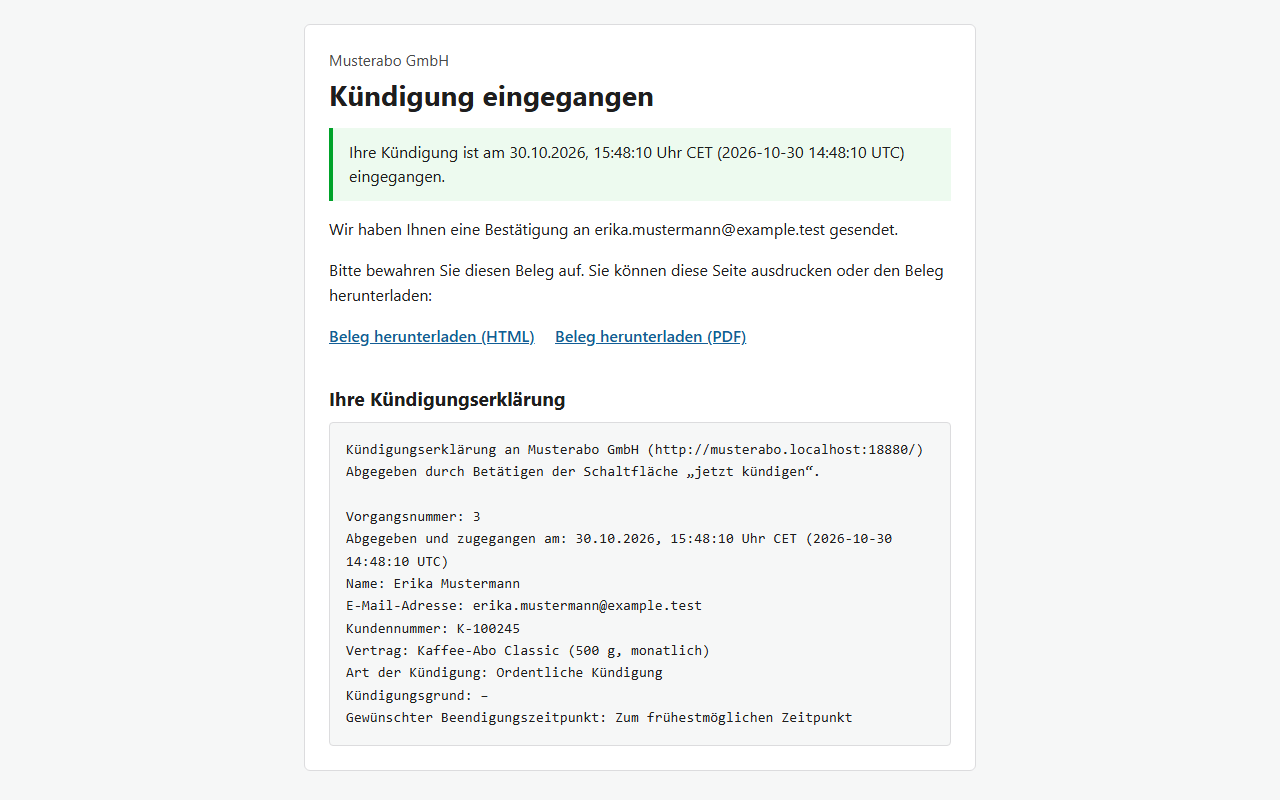
Pro adds what merchants need once the cancellation button is live: downloadable PDF receipts, a CSV audit trail of your actions, your own email wording, and optional merchant-triggered cancellation in WooCommerce Subscriptions, Paid Memberships Pro and MemberPress. German and English. Requires the free Kündigungsbutton plugin.
Choose your edition →Read the setup stepsOne-time purchase with 12 months of updates and email support. GPL, no license key.
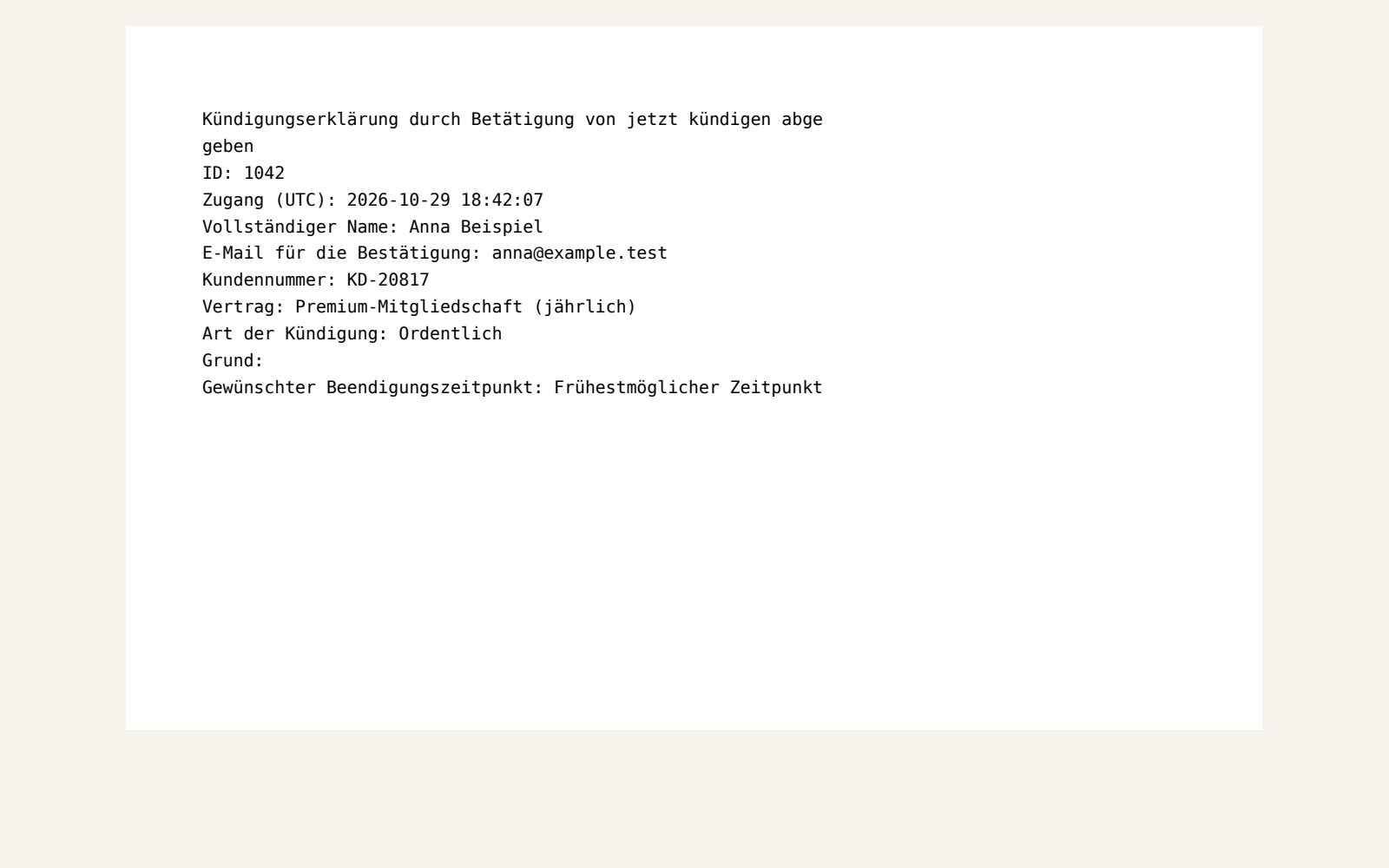
A Pro PDF receipt, generated by the plugin's own receipt format (sample data).
Customers can download a PDF copy of their cancellation with the date and time of receipt, right from the confirmation page.
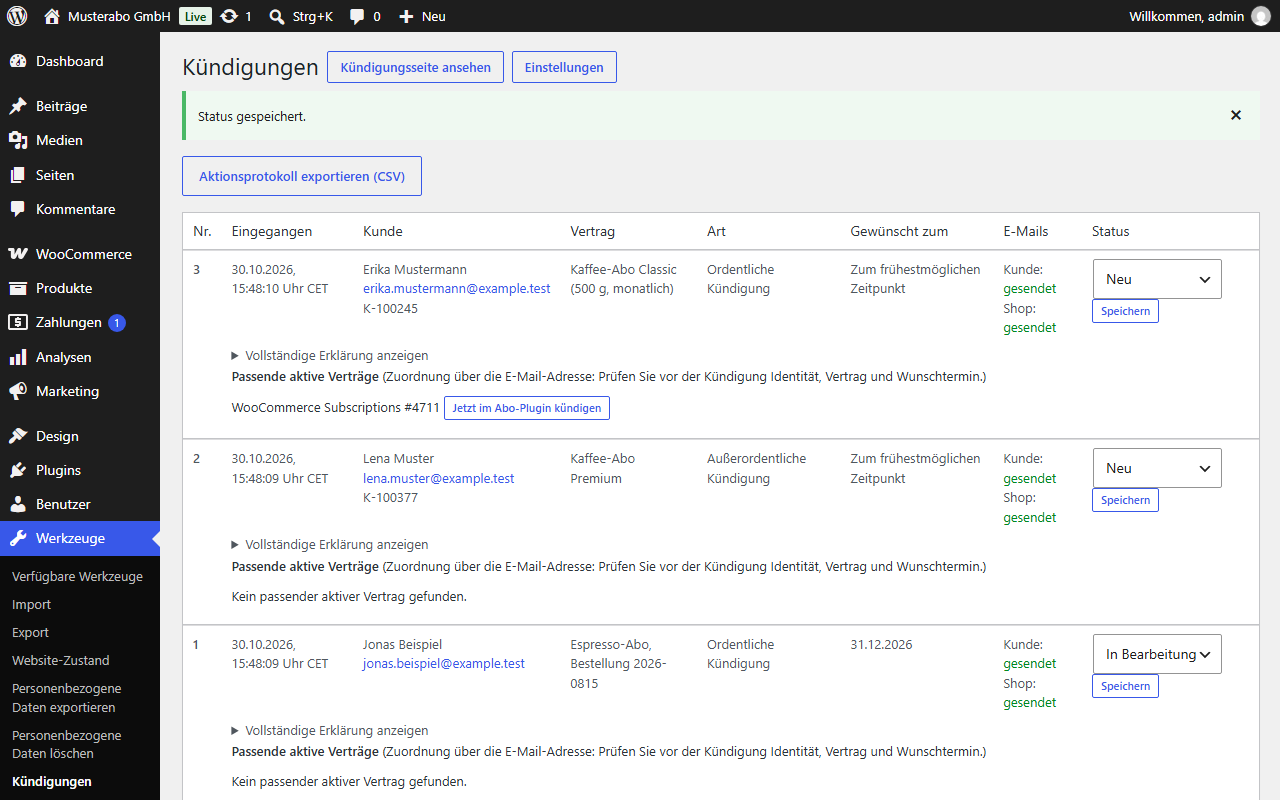
Every cancellation you trigger is logged with user, time and result, and exports as CSV for your records.
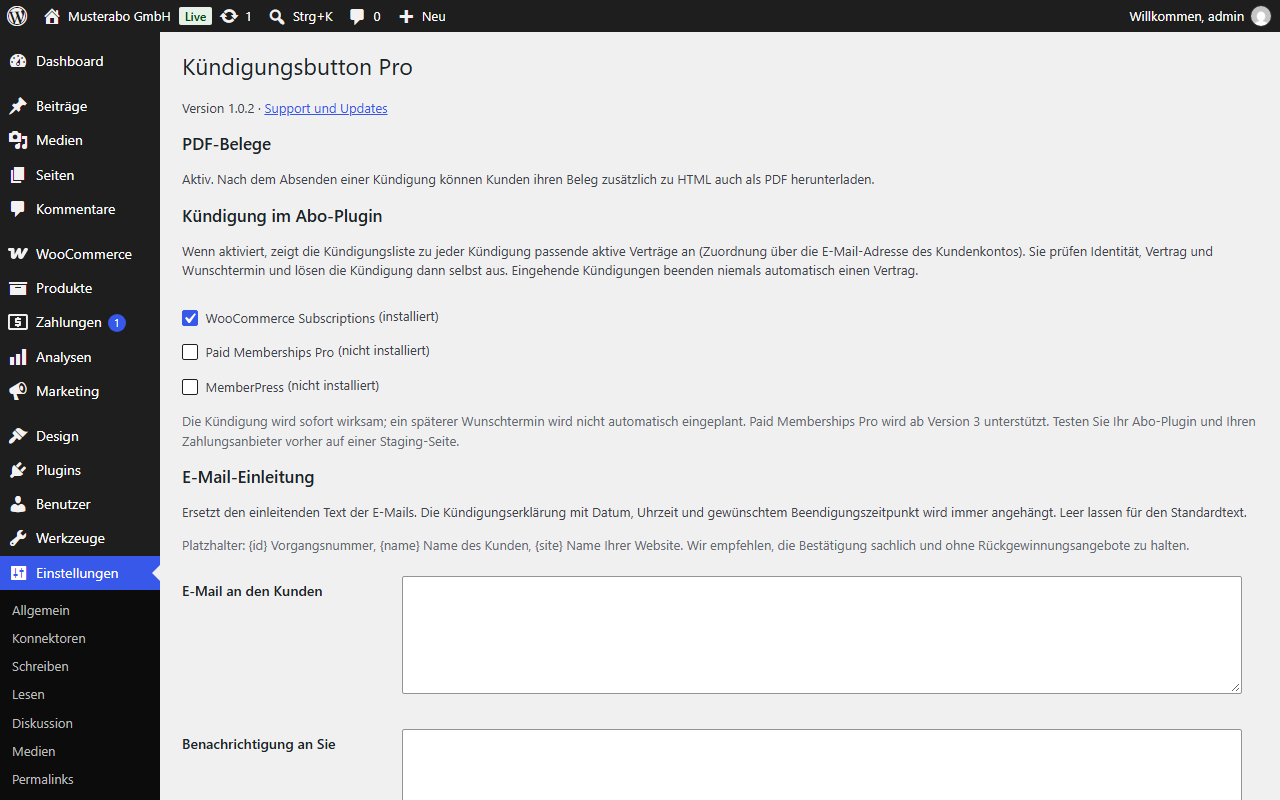
Write your own introduction for the customer confirmation and your notification; the mandatory declaration stays included.
See the customer's matching active WooCommerce Subscriptions, PMPro or MemberPress contract next to each cancellation and cancel it in one click, only when you choose.
Scope, without surprises
Downloadable PDF copies of every cancellation receipt, a CSV export of your merchant actions, your own introduction for the customer confirmation and your notification (the declaration with date, time and requested end date is always included), and optional matching of a cancellation to an active WooCommerce Subscriptions, Paid Memberships Pro or MemberPress contract that you can then cancel with one click.
Pro never cancels anything on its own: you review and trigger every action. It doesn't schedule future cancellation dates, verify identities, give legal advice or guarantee email delivery. The free plugin and any subscription plugins are installed separately.
WordPress 6.4+, PHP 8.1+ and the free Kündigungsbutton plugin, active. For subscription actions: WooCommerce Subscriptions, Paid Memberships Pro 3+ or MemberPress. A working email setup (for example an SMTP plugin).
Setup
Subscription actions for WooCommerce Subscriptions, Paid Memberships Pro and MemberPress are tested against simulated versions of those plugins; test them with your own setup and payment gateway on staging first. Email matching suggests candidates rather than verified identities. Cancellations happen immediately; future dates are not scheduled. This is a tool, not legal advice or a guarantee of compliance with § 312k BGB.
One plugin. Fewer manual steps.
One-time prices in USD. Applicable taxes calculated at checkout.
12 months of updates and email support
For agencies and multiple sites
Sandbox checkout - configuration pending. No live purchases.
GNU General Public License version 2 or later. Your purchase covers the download, 12 months of updates and email support. No license key or activation server.